
Chemistry calculator
Gas Law Calculator
Use this Gas Law Calculator to solve pressure, volume, moles, or temperature with the ideal gas law. Enter any three known values, choose units, and get a clear PV = nRT result.
Ideal gas law solver
Calculate P, V, n, or T with PV = nRT
Choose the variable you want to solve, enter the other three values, and the calculator will convert units internally before solving.
Leave blank when solving for pressure.
Gas volume can be entered in L, mL, or m³.
Use chemical amount, not mass.
The calculation converts °C and °F to Kelvin.
The result is based on the ideal gas law using R = 0.082057 L·atm·mol⁻¹·K⁻¹.
Method note
The tool converts pressure to atm, volume to liters, amount to moles, and temperature to Kelvin before solving. It then converts the answer back to your selected unit.
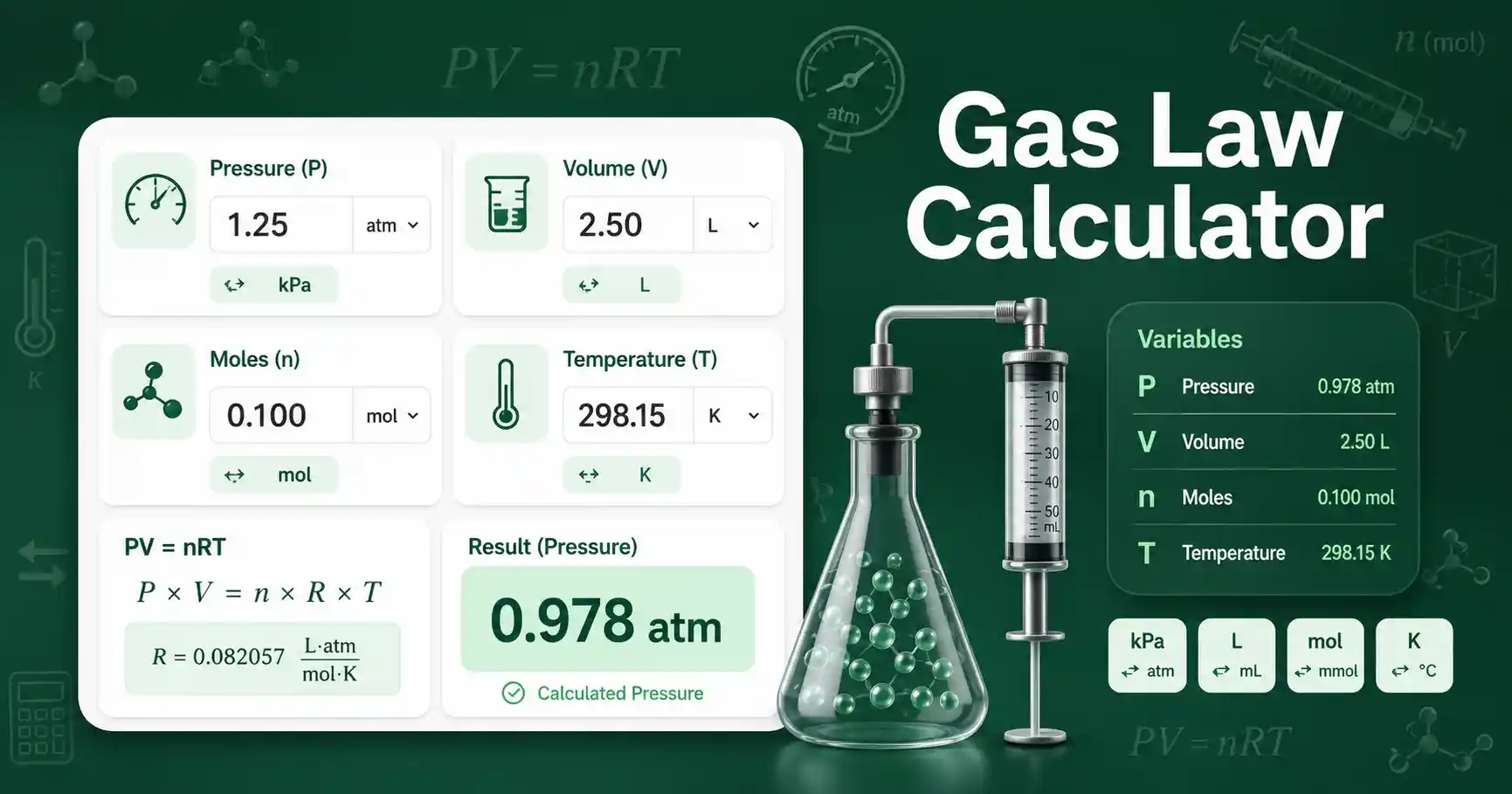
Gas Law Calculator for pressure, volume, moles, and temperature
This Gas Law Calculator solves ideal gas law problems using pressure, volume, amount of gas, and temperature. It is useful when a chemistry problem gives three gas variables and asks for the fourth. Students can use it to check homework steps. Teachers can use it to show how unit conversion changes the setup. Lab workers can use it for educational estimates involving gases, provided the assumptions are checked.
The calculator handles common pressure units such as atm, kPa, Pa, mmHg, Torr, bar, and psi. It handles volume in liters, milliliters, and cubic meters. It handles amount in moles or millimoles. It handles temperature in Kelvin, Celsius, or Fahrenheit. The tool standardizes the calculation internally so mixed units do not break the result.
The ideal gas model works best for gases at moderate temperature and relatively low pressure. Real gases can deviate from ideal behavior when particles interact strongly or occupy a noticeable fraction of the container volume. For a deeper textbook explanation of gas variables and the ideal gas law, see the OpenStax section on relating pressure, volume, amount, and temperature.
How to use Gas Law Calculator correctly
First choose the variable you want to calculate. Select pressure when the unknown is P. Select volume when the unknown is V. Select amount of gas when the unknown is n. Select temperature when the unknown is T.
Enter the other three known values. Leave the unknown field blank. Choose the unit beside each input. The calculator converts pressure to atmospheres, volume to liters, amount to moles, and temperature to Kelvin before solving.
Use absolute pressure rather than gauge pressure. Use the gas volume, not the container label, when the gas does not fill the whole container. Use the chemical amount of gas in moles, not grams. Convert a gas mass to moles first with the Molecular Formula Mass Calculator when your problem starts with mass.
Input check
Pressure, volume, and moles must be greater than zero.
Temperature must be above absolute zero after conversion to Kelvin.
Verify critical lab calculations independently before using them in real experiments.
Gas Law Calculator formula and assumptions
The calculator uses the ideal gas law: PV = nRT. P means pressure. V means volume. n means amount of gas in moles. R means the ideal gas constant. T means absolute temperature in Kelvin.
This page uses R = 0.082057 L·atm·mol⁻¹·K⁻¹ after converting the input values to liters, atmospheres, moles, and Kelvin. If pressure is the unknown, the rearranged formula is P = nRT ÷ V. If volume is the unknown, the rearranged formula is V = nRT ÷ P. If moles are unknown, the formula is n = PV ÷ RT. If temperature is unknown, the formula is T = PV ÷ nR.
The main assumption is ideal gas behavior. The gas particles are treated as very small compared with the container volume. The gas particles are also treated as if they do not attract or repel each other. These assumptions make the equation simple, but they can reduce accuracy for high-pressure gases, very cold gases, or gases that deviate strongly from ideal behavior.
Gas Law Calculator worked example
Given values: a gas sample has n = 0.100 mol, V = 2.50 L, and T = 298.15 K. The unknown variable is pressure.
Formula: P = nRT ÷ V.
Substitution: P = 0.100 mol × 0.082057 L·atm·mol⁻¹·K⁻¹ × 298.15 K ÷ 2.50 L.
Result: P = 0.978 atm, which is about 99.1 kPa.
Interpretation: the pressure is close to atmospheric pressure because the amount, volume, and room-temperature value are close to a common classroom gas-law example. If you changed the volume to 1.25 L while keeping n and T constant, the calculated pressure would roughly double.
Gas Law Calculator results explained
A higher calculated pressure means the gas particles collide with the container walls more often or more strongly under the model. Pressure increases when moles increase, temperature increases, or volume decreases. A lower pressure result means the gas is spread through more space, contains fewer particles, or has lower absolute temperature.
A higher volume result means the gas needs more space to satisfy the given pressure, amount, and temperature. Volume increases when moles increase or temperature increases at constant pressure. Volume decreases when pressure increases at constant moles and temperature.
A moles result tells you the chemical amount of gas. It does not directly tell you mass unless you know the gas formula and molar mass. A temperature result should be interpreted in Kelvin first, because Kelvin is the physical scale used in the ideal gas law.
Use scientific notation when results are very large or very small. The Scientific Notation Calculator can help students rewrite gas-law answers in a clean report format.
Gas Law Calculator mistakes to avoid
Do not put Celsius directly into PV = nRT. Convert Celsius to Kelvin first by adding 273.15. Do not use Fahrenheit directly either. Convert Fahrenheit to Kelvin before the calculation.
Do not mix liters and milliliters without conversion. A value of 250 mL is 0.250 L, not 250 L. A unit mismatch can change the answer by a factor of 1000.
Do not confuse gas mass with gas moles. A sample of 4.0 g oxygen gas is not 4.0 mol oxygen gas. You must divide mass by molar mass before using n in the ideal gas law.
Do not use gauge pressure unless the problem clearly asks for it and you convert it to absolute pressure. The ideal gas law requires absolute pressure. Do not round too early, because early rounding can shift the final value in multi-step problems.
Gas Law Calculator use cases in chemistry learning
One common use case is checking a classroom ideal gas law problem. A student can enter pressure, volume, and temperature to calculate moles, then compare the result with a hand calculation. This helps catch unit mistakes before a lab report is submitted.
A second use case is comparing how a gas changes when one variable is adjusted. A teacher can keep n and T constant, change V, and show how pressure responds. This makes Boyle's law easier to connect to PV = nRT.
A third use case is estimating gas volume from a known chemical amount at a chosen pressure and temperature. This is helpful in general chemistry practice problems where a balanced equation gives moles of gas product. The result should still be treated as an ideal estimate unless the problem provides a real-gas correction.
Student questions about Gas Law Calculator
What does a gas law calculator solve?
It solves one missing ideal gas law variable when the other three variables are known. It can solve pressure, volume, moles, or temperature.
Why does temperature need Kelvin in gas law calculations?
Kelvin is an absolute temperature scale. Gas pressure and volume relationships depend on absolute temperature, so Celsius and Fahrenheit must be converted before the equation is used.
Can this calculator use kPa, mL, and Celsius?
Yes. The calculator converts kPa, mL, and Celsius into atm, liters, and Kelvin internally. It then solves the equation and reports the result in the selected unit.